
How to Access the EMAK Telecom Billing Portal
The EMAK Telecom billing portal lets you view your subscription, pay your invoices, and download statements of account. This guide shows you how to set up your billing portal account and how to sign in afterwards.
The billing portal is available at https://client.emak.tech/portal.
Create Your Billing Portal Account
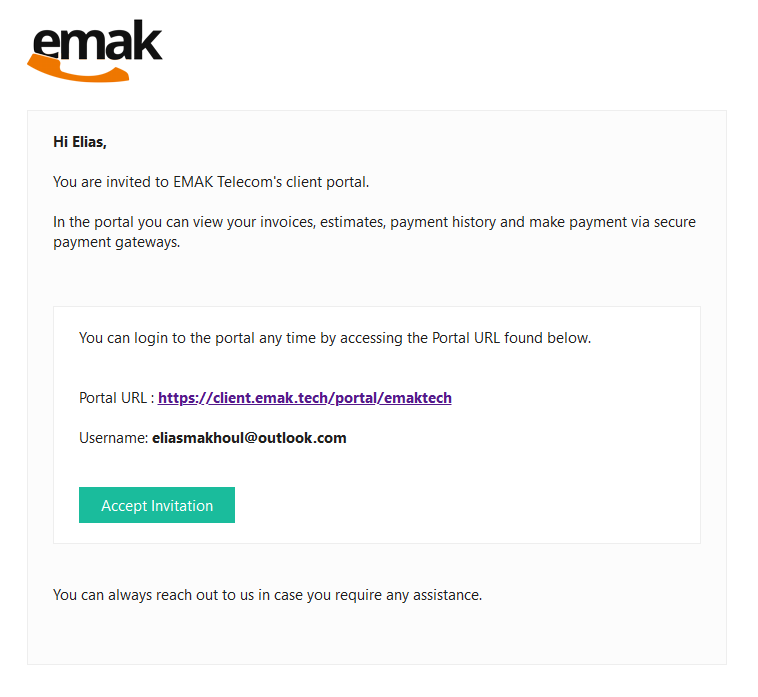
When you first sign up with EMAK Telecom, you will receive an invitation email to the billing portal. To create your account, open the invitation email from EMAK Telecom Billing.
If you cannot find the invitation email, check your spam or junk folder. If it is not there, contact EMAK Telecom support and we will resend it.

Step 1: Accept the Invitation
In the invitation email, press the Accept Invitation button.
Step 2: Set Your Password
Create the password you want to use for the billing portal. The password must meet all of the following requirements:
- Contains both uppercase and lowercase letters, a numeral, and a special character.
- Is between 8 and 60 characters long, with no dictionary words.
- Does not contain sequential characters and is not the same as your login name (email address).

Sign In to the Billing Portal
Once your password is set, go to https://client.emak.tech/portal.
Enter your username (your email address) and your password, then click Sign In.

Billing Portal FAQ
What can I do in the EMAK Telecom billing portal?
The billing portal lets you view your active subscription, pay outstanding invoices, and download statements of account. It is the main self-service tool for managing your EMAK Telecom billing.
I never received the invitation email — what should I do?
First, check the spam or junk folder of the email address you signed up with. If the invitation is not there, contact EMAK Telecom support and we will resend the invitation.
What is the difference between the billing portal and the EMAK Web App?
The billing portal at client.emak.tech/portal is for invoices and account statements. The EMAK Web App is where you manage extensions, voicemail, call routing, and other phone features. They are separate logins.
I forgot my billing portal password — how do I reset it?
On the sign-in page at client.emak.tech/portal, use the password reset link to receive a reset email. If you no longer have access to the email address on file, contact EMAK Telecom support.