
How to Set Up Your Voicemail Greeting
Your voicemail greeting is what callers hear before they leave you a message. If you don’t set one, callers hear the system message: “The person at extension … is not available.” You can record a greeting from your phone, or upload an audio file in the EMAK Web App. Your mailbox holds up to 9 greetings, and one plays at a time.
Record a Greeting from Your Phone
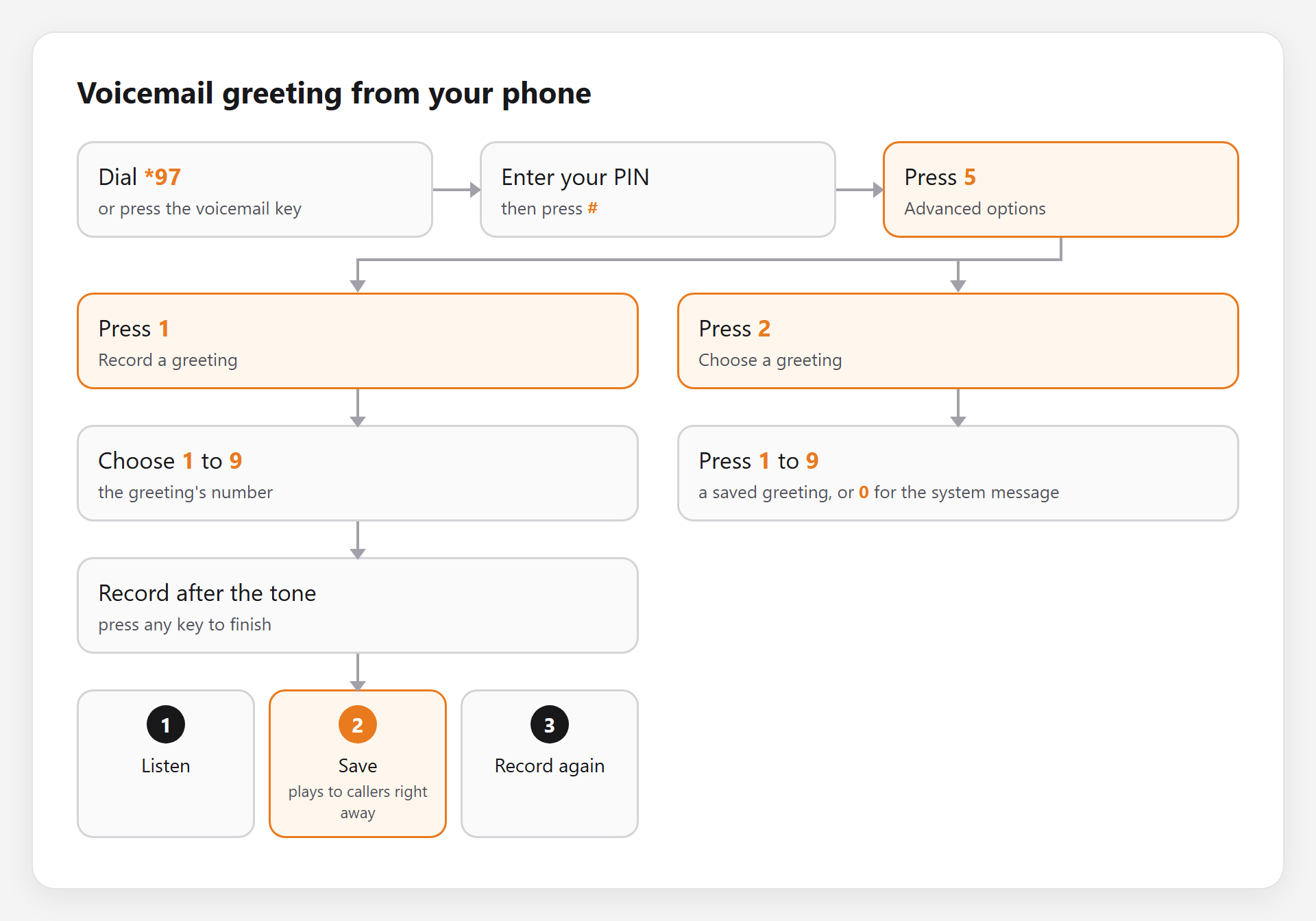
- Press the voicemail (message) key on your desk phone, or dial *97.
- Enter your PIN, then press #.
- Press 5 for advanced options.
- Press 1 to record a greeting.
- Choose a greeting number from 1 to 9.
- Record your greeting after the tone. Press any key or stop talking to finish.
- Press 1 to listen, 2 to save, or 3 to record it again.
Once saved, your new greeting plays to callers right away.
To switch to another saved greeting: follow steps 1 to 3, press 2, then choose the greeting’s number. Press 0 to go back to the system message.
Upload a Greeting in the EMAK Web App
- Sign in at client.emaktalk.com (Sign In to the EMAK Web App).
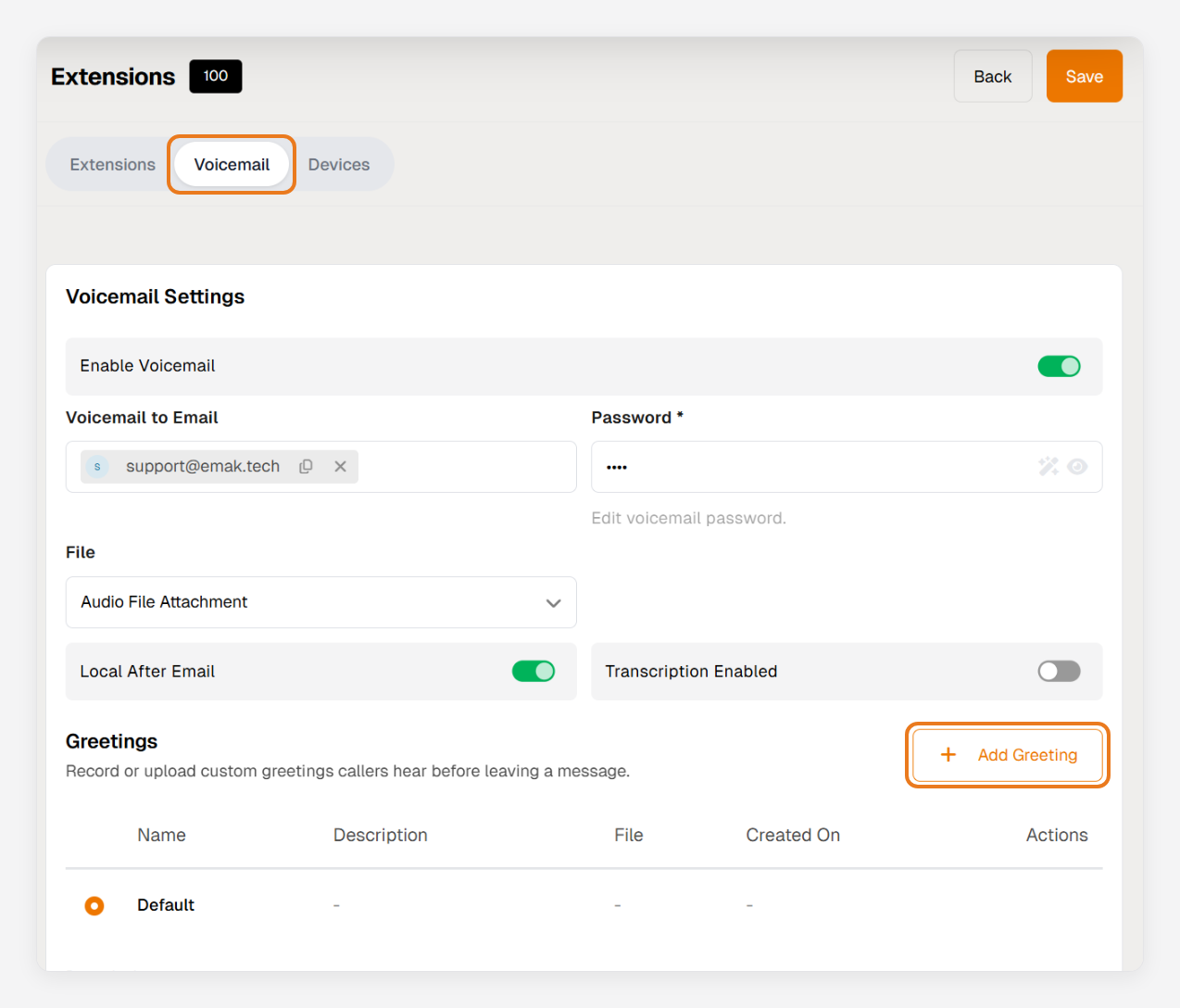
- In the left menu, click Voicemail, or Extensions if you’re an administrator, and choose the extension.
- Open the Voicemail tab. Under Greetings, click Add Greeting.
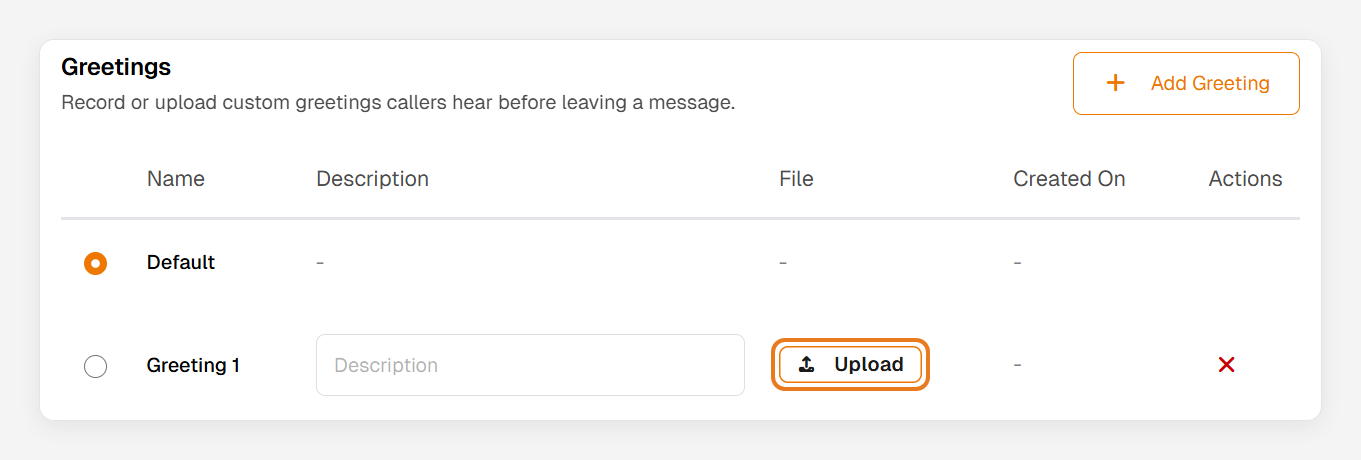
- Click Upload and choose a WAV or MP3 file. You can type a description to recognise it later.
- Select your new greeting with the button beside its name. Uploading a file doesn’t turn it on by itself.
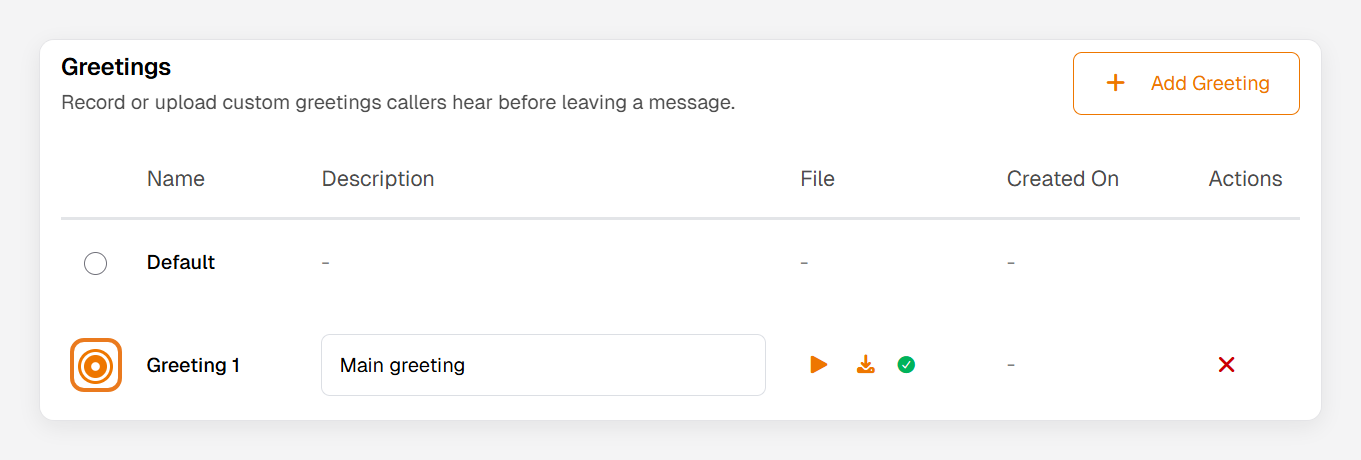
- Click Save at the top right. Callers hear the new greeting right away.
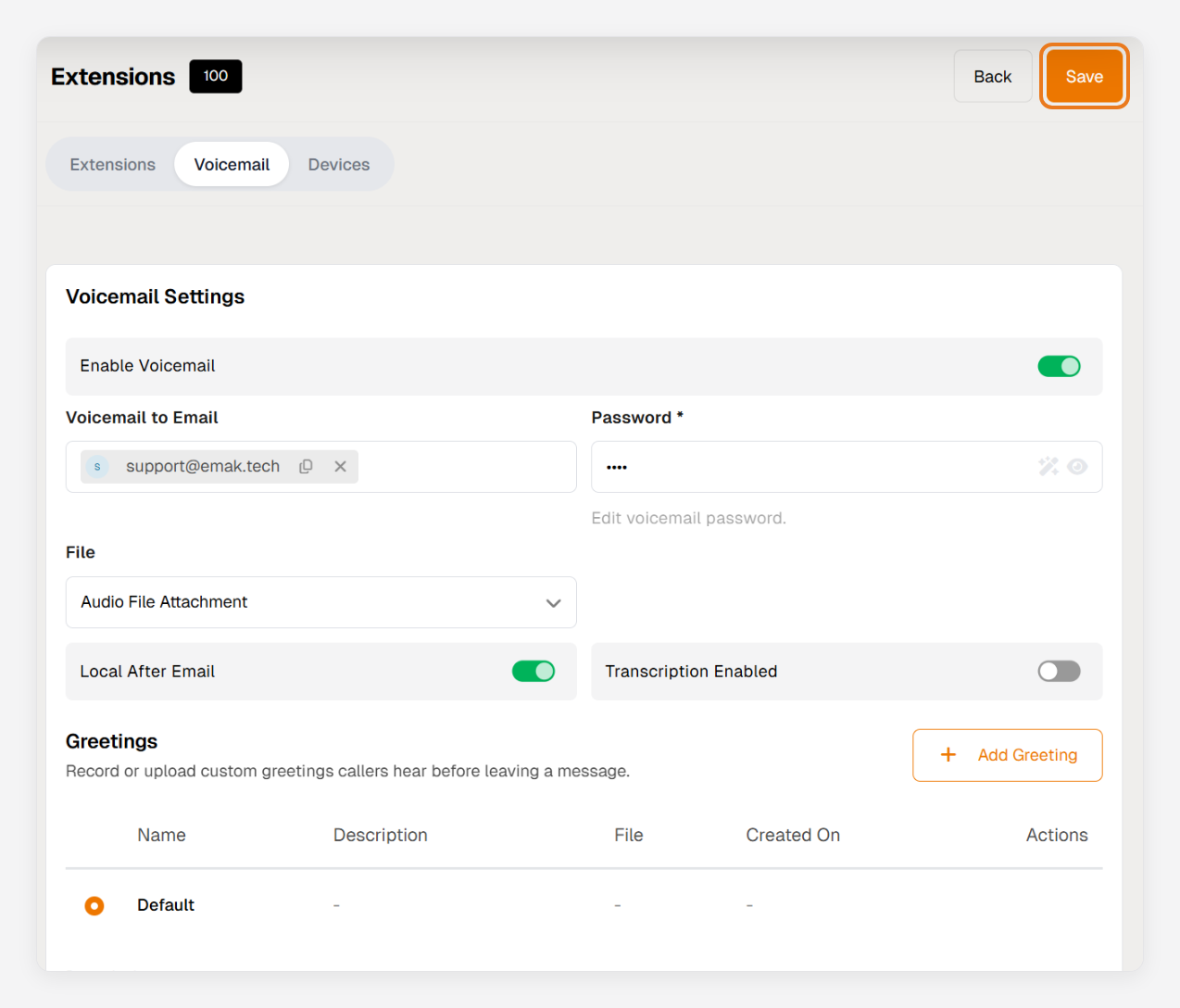
To go back to the system message, select Default and click Save. To delete a greeting, select another one first.
Good to know: callers can’t choose options during a voicemail greeting. Pressing a key skips straight to the beep. To offer choices like “press 1 for sales”, use a phone menu instead (Edit a Phone Menu).